Half an hour at your desk.
Time to stand up.
DeskBreak lives quietly in your Windows tray — with a modern light/dark interface, 5 languages, and reminders to stand, stretch, rest your eyes and drink water.
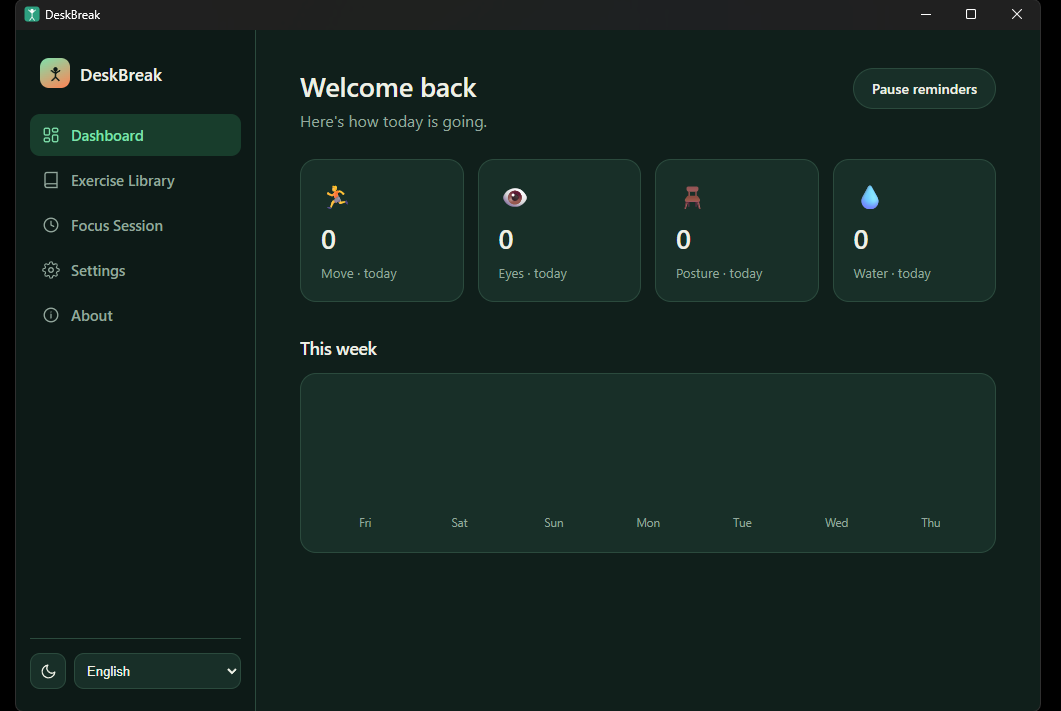
A complete redesign
Same simple idea, a lot more polish under the hood.
Light & dark theme
Switch instantly from the sidebar — matches how you like to work.
5 languages
English, Russian, Spanish, German and French — switch anytime, no restart.
Focus sessions
Pause every reminder for 25, 45 or 60 minutes of deep work — resumes automatically.
Private stats
See how many reminders you completed today and this week. 100% local, never uploaded.
A real app, not just popups
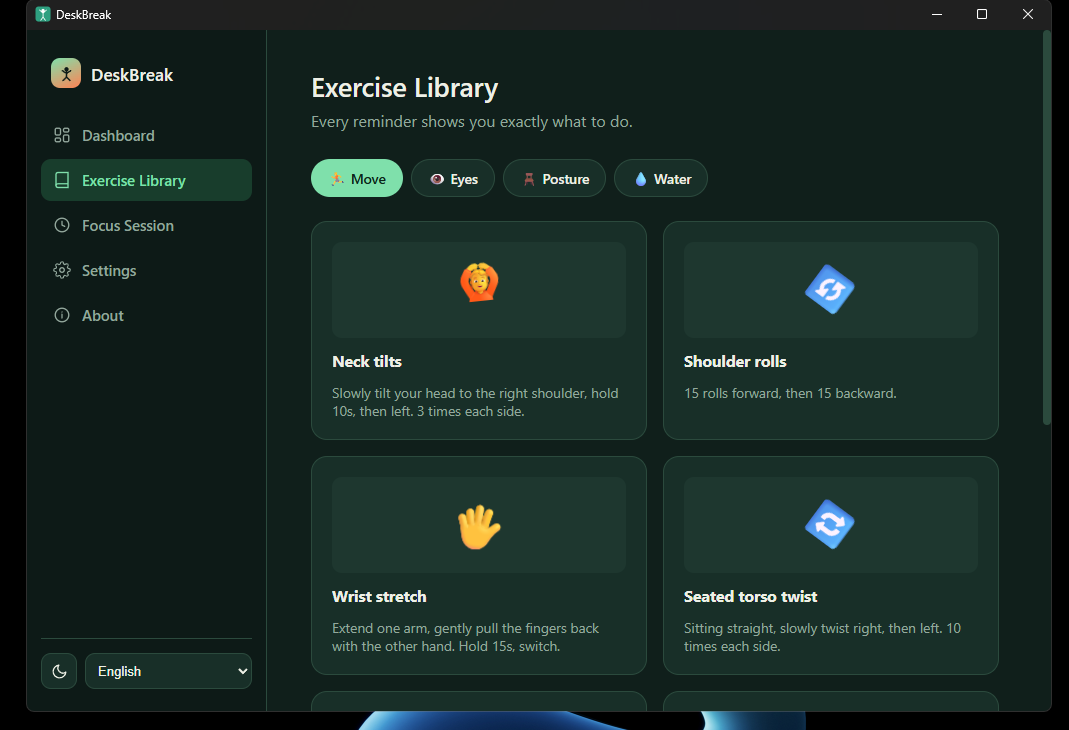
Exercise library
Every reminder shows exactly what to do, with an animated visual guide.
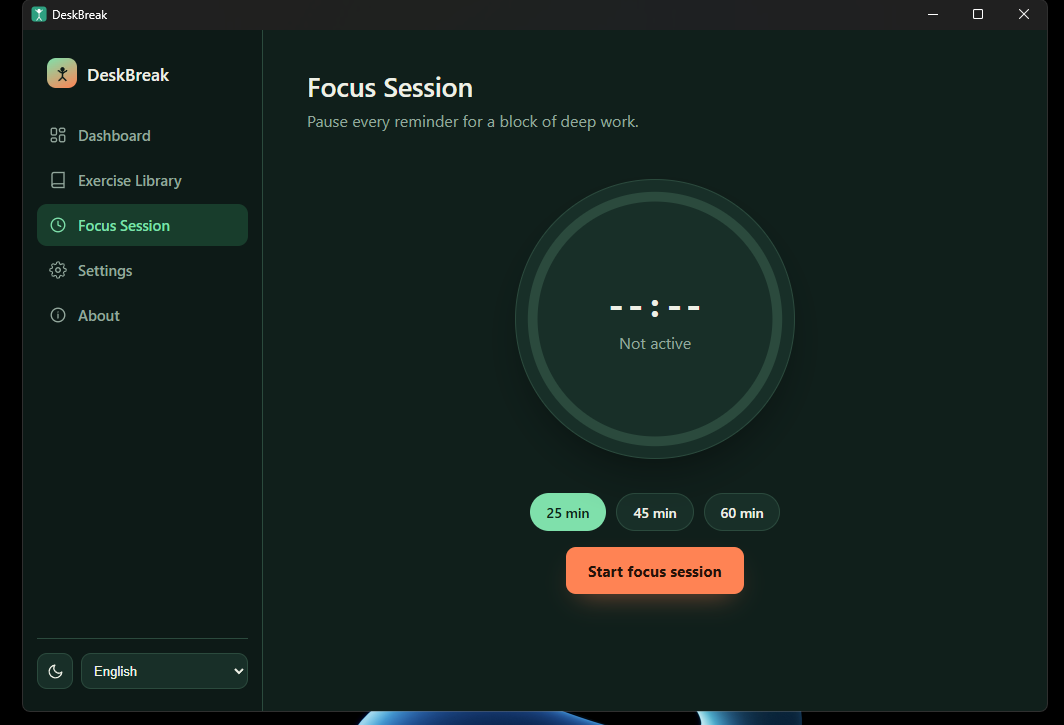
Focus sessions
Need to concentrate? Pause everything for a block of deep work.
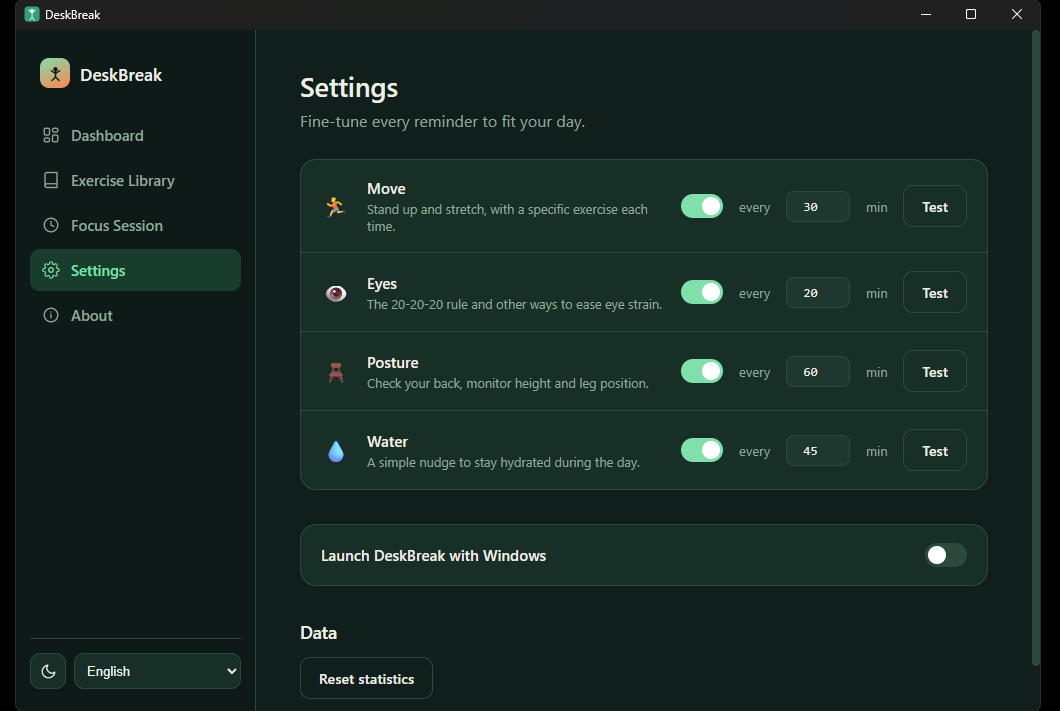
Full control
Enable or disable any reminder, set your own intervals, test each one instantly.
Four kinds of care
Each reminder type switches on and off independently — keep only what you actually need.
Move
Stand up and stretch: neck, shoulders, back, wrists — with a specific exercise every time.
Eye rest
The 20-20-20 rule and other ways to ease eye strain during long screen sessions.
Posture
Check your back, monitor height, and leg position before slouching becomes a habit.
Water
A simple nudge not to forget to drink water throughout the day.
Not just “stand up” — exactly what to do
Every reminder comes with a specific, animated exercise, not just a vague nudge to move.
🔄 Shoulder rolls
15 rolls forward, 15 back — releases tension after a long stretch at the keyboard.
👀 The 20-20-20 rule
Every 20 minutes, look at something 20 feet (6 m) away for 20 seconds.
🖥️ Monitor height
The top of your screen should sit at eye level or slightly below.
Three steps, fully set up
Download and install
A standard Windows installer — a couple of clicks, nothing to configure.
Quick onboarding
Pick your language, theme, and which reminders you want — takes a few seconds.
Keep working as usual
DeskBreak reminds you at the right moment — you just keep doing what you were doing.
Windows may show a warning during install
DeskBreak is an independent, free app without a paid code-signing certificate, so SmartScreen sometimes shows “Windows protected your PC.” That's the standard reaction to any unsigned app, not a sign of a problem. Click More info → Run anyway to continue installing.